Recipes
A Recipe is a snapshot of image style parameters — it saves Color, Tone, Effects, Dynamic Range, White Balance, WB Shift, and Exposure Compensation settings into a reusable preset.
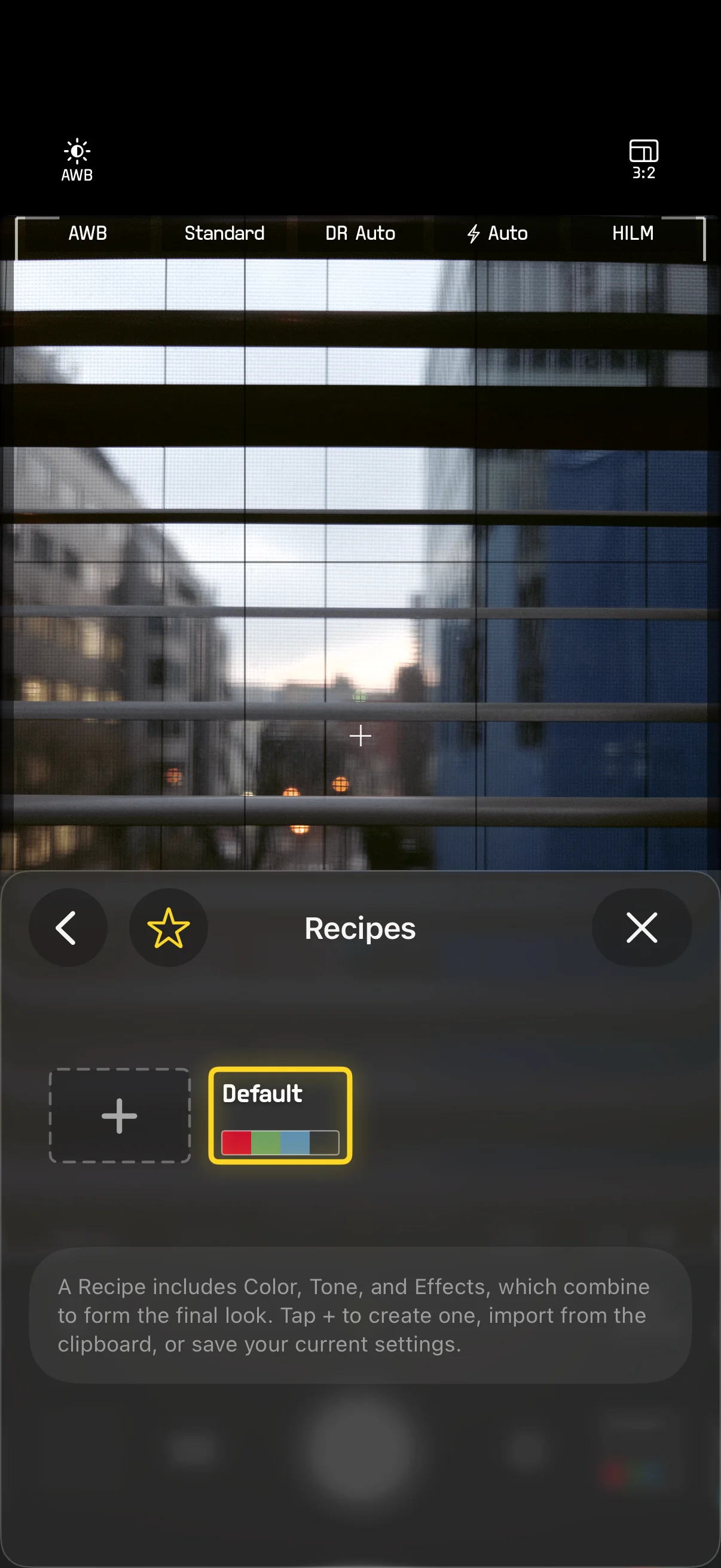
Creating a Recipe
- Go to Settings > Recipes
- Select Create New Recipe — this captures your current settings
- On the Create New Recipe page, enter a name and toggle which layers to include: Color, Tone, Effects, White Balance, Dynamic Range, EV. Tap any layer to adjust its values.
- Tap Save (top-right)
Parameters not selected will not be overridden by the Recipe — when switching to that Recipe, those parameters keep their current values.
You can also select Save to Existing Recipe to overwrite an existing Recipe.
Each Recipe automatically generates a theme color based on its name for easy visual identification.
Switching Recipes
Ways to switch Recipes:
- Arc control: Assign Recipe to any corner, then drag the arc to scroll through them
- Quick Cross Menu: Scroll within the Recipe parameter group
- Settings > Recipes: Select directly from the Recipe list
When you switch Recipes, the included parameters are applied immediately and previewed in real time in the viewfinder.
The built-in Default Recipe is always present and cannot be deleted.
Sharing and Importing
Sharing
Recipes are exported as text that can be copied to the clipboard and shared however you like:
SHC3 Recipe: Recipe Name
Color: PROVIA
Tone: Sat +1, Con +2
Effects: Grn +2, Vig +1
DR: Auto
WB: Daylight
WB Shift: M2:B7
EV: +1/3
Importing
Paste Recipe text from the clipboard to import it. SHC3 automatically parses the Recipe format and creates a new Recipe.
Recipe Format
Field descriptions for the Recipe text format:
| Field | Description | Example |
|---|---|---|
| Color | Color preset name | PROVIA / iPhone / CLASSIC CHROME |
| Tone | Non-zero Tone parameters | Sat +1, Con +2 |
| Effects | Non-zero Effects parameters | Grn +2, Vig +1 |
| DR | Dynamic Range setting | Off / Auto / 100 / 200 / 400 |
| WB | White Balance mode | AWB / AWB-A / Daylight / 5500K |
| WB Shift | Green/Magenta : Amber/Blue offset | M2:B7 |
| EV | Exposure compensation | +1/3 / -2/3 / 0 |
Only parameters included in the Recipe appear in the text. If an included Tone or Effects layer has no adjustments, it shows as Default.
Photo EXIF metadata also contains a complete record of the style parameters in a format similar to Recipe text, making it easy to review the settings used when the photo was taken.